CLI Reference
The ddacs command line interface downloads the dataset from DaRUS and prints summary information.
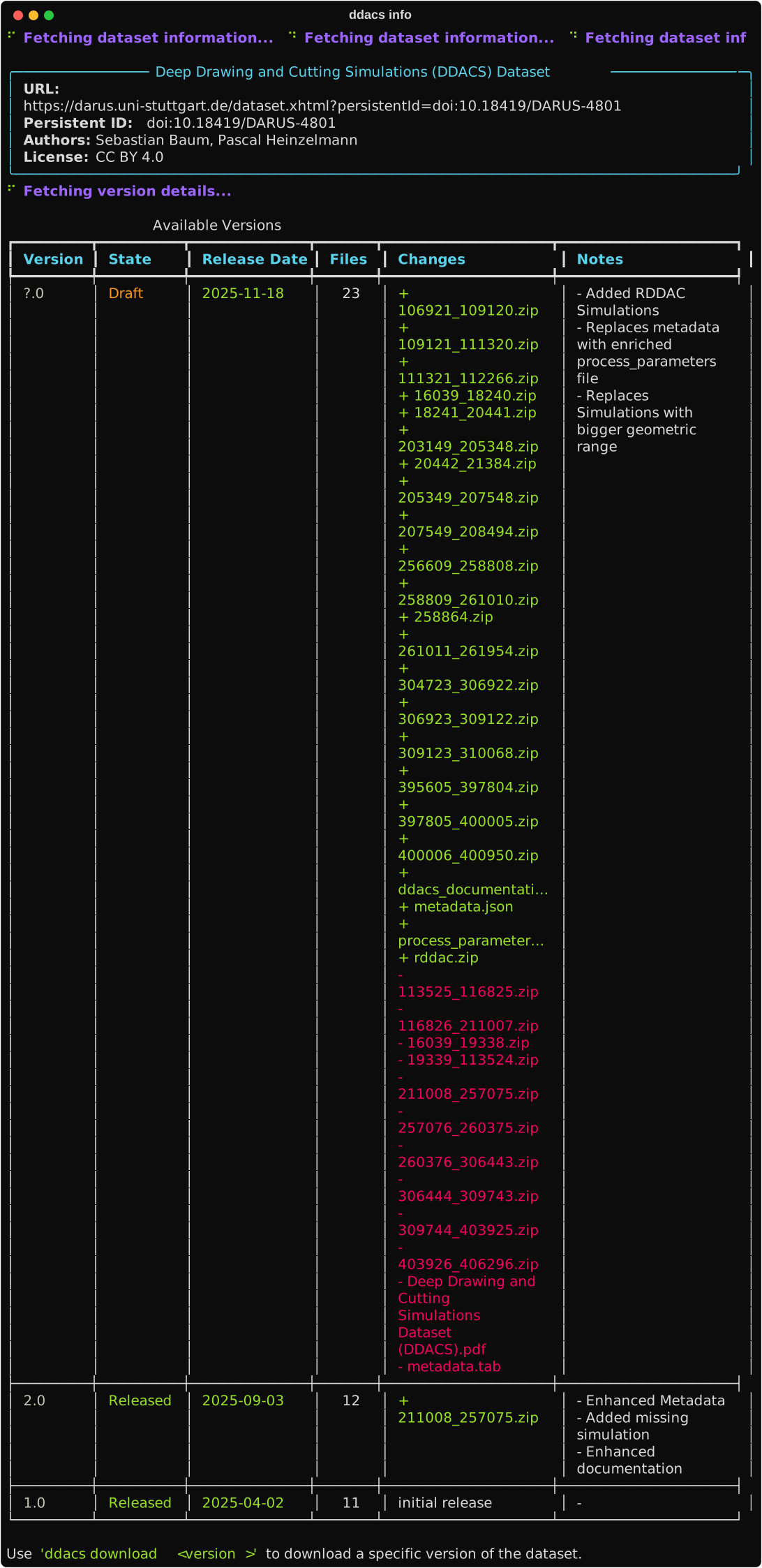
ddacs info
Display dataset information and the list of available versions.
ddacs download
Download dataset files from DaRUS.
Arguments
| Argument | Default | Description |
|---|---|---|
VERSION |
3.0 |
Dataset version to download |
Options
| Option | Description |
|---|---|
--small |
Download the small test set (~22 MB) |
--files FILE... |
Download only the listed files |
--out PATH |
Output directory (default: ./data) |
--extract |
Extract zip files in place after download |
--remove-zip |
Delete the zip file after a successful extraction (requires --extract) |
-y, --yes |
Skip the confirmation prompt |
-q, --quiet |
Suppress all output and progress display; implies --yes (runs unattended). Errors are still reported on stderr |
Default behaviour
Zip files are kept on disk by default and are not extracted. This keeps the dataset readable in place by mlcroissant, which references zip members through the Croissant manifest. Pass --extract to additionally write the HDF5 files to disk, and --remove-zip to delete the zip afterwards.
The --out directory defaults to ./data. The same value is used by ddacs.load(data_dir=...) and DDACSDataset(data_dir=...), so files written by ddacs download are picked up by the Python API without additional configuration.
Examples
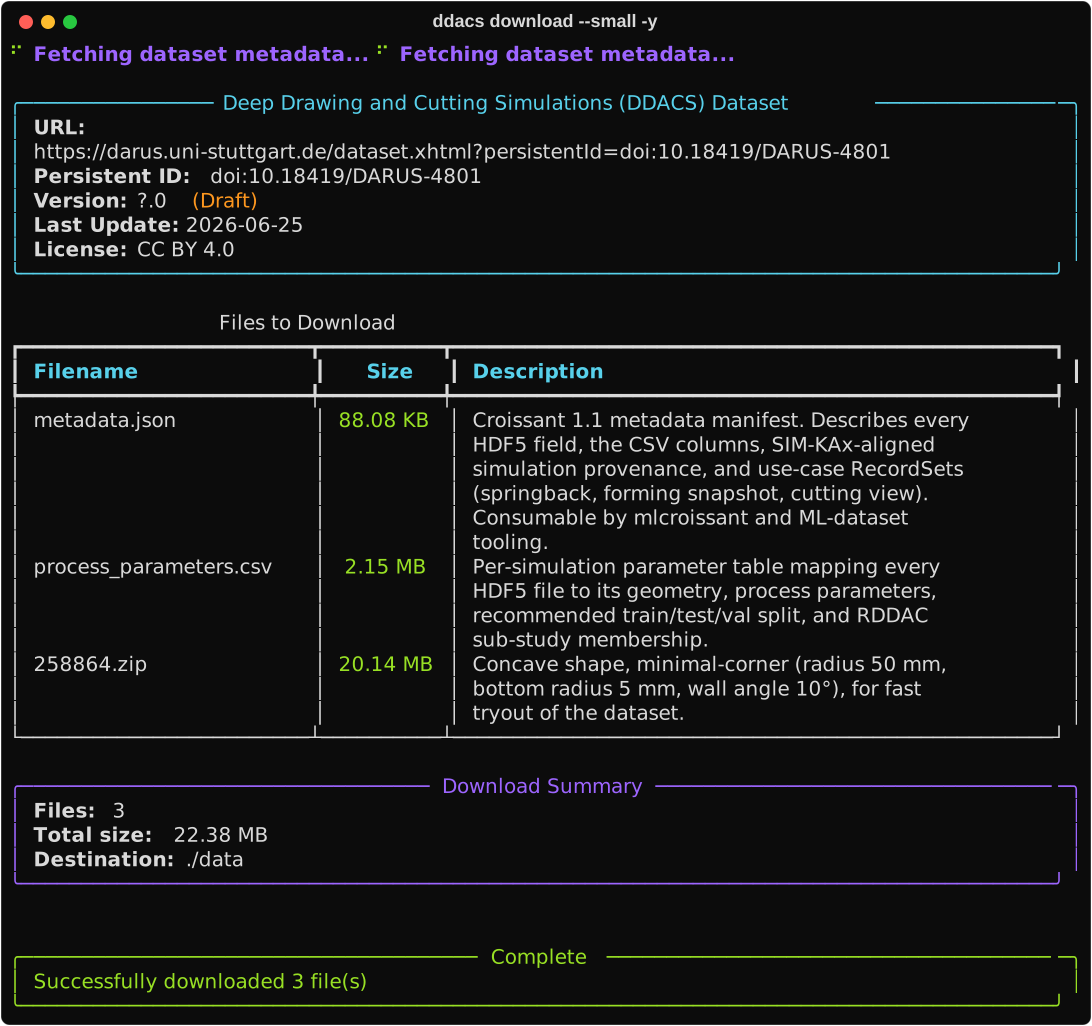
# Download the full dataset (zips kept as is, no extraction)
ddacs download

# Download to a custom directory
ddacs download --out /path/to/data

# Download specific files only
ddacs download --files process_parameters.csv metadata.json 258864.zip

# Extract the zip files in place, keep the zip alongside
ddacs download --extract

# Extract and remove the zip after a successful extraction
ddacs download --extract --remove-zip

# Download unattended with no output or progress (implies -y), e.g. in scripts
ddacs download --small --quiet
--quiet silences the rich panels, tables and progress bars and skips the confirmation prompt, so it is convenient for scripts and CI. Download or extraction failures are still printed to stderr. It applies to ddacs download only; ddacs info has no quiet mode.
After --extract --remove-zip, the HDF5 files are no longer wrapped in zips and mlcroissant cannot resolve the FileSet. See the Loose HDF5 recipe for the appropriate iteration pattern in that case.
Global Options
| Option | Description |
|---|---|
--token TOKEN |
DaRUS API token (used to download draft versions) |
-V, --version |
Show the package version and exit |